
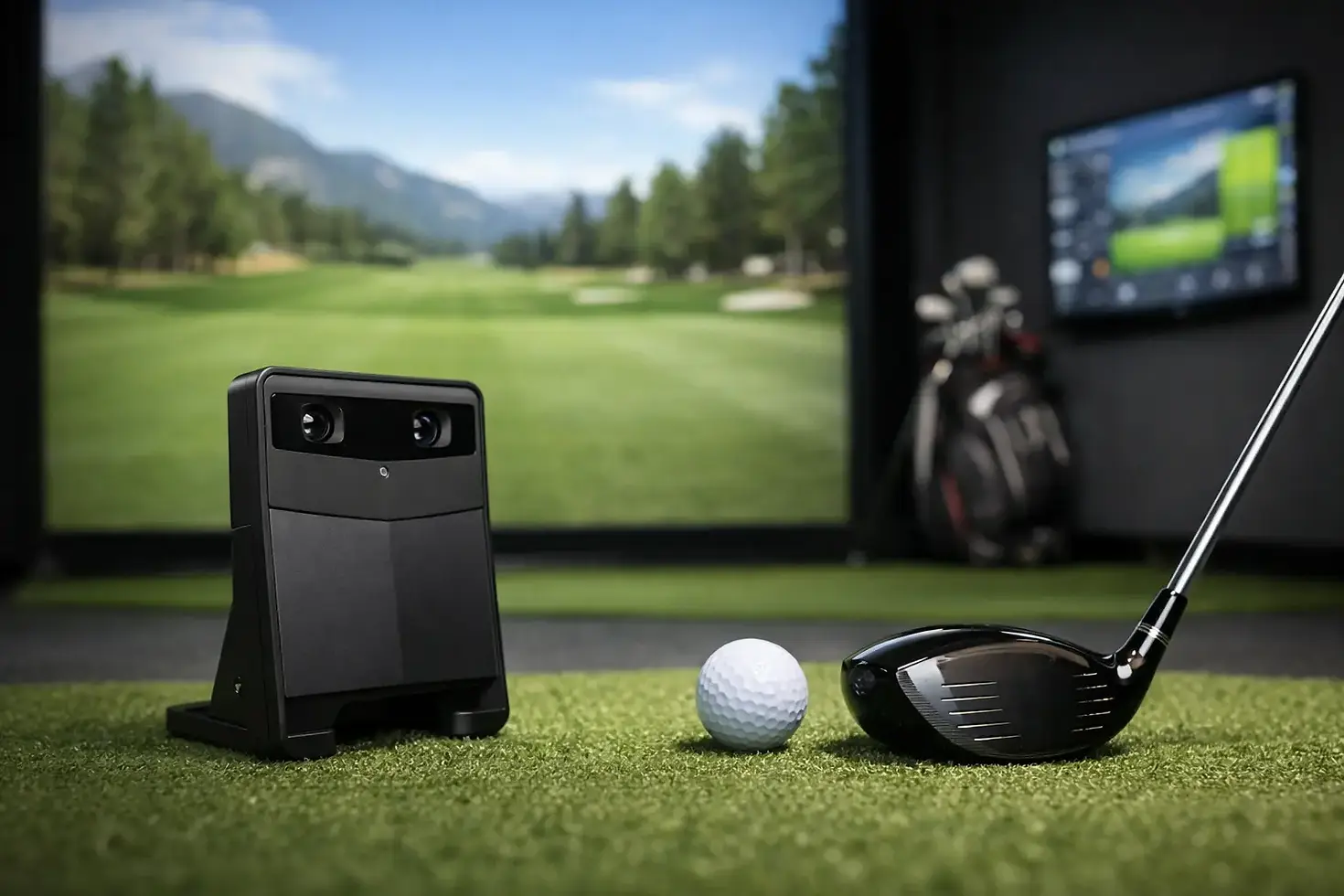
Best Launch Monitor for Simulator Setups

If you are shopping for the best launch monitor for simulator use, the wrong choice usually shows up after installation - when the room is tighter than expected, left-handed players cannot use it comfortably, or the data is strong on paper but weak in real play. The right launch monitor is not just the one with the biggest name or the longest feature list. It is the one that fits your space, your goals, and how the simulator will actually be used.
That matters whether you are building a serious home practice studio, adding entertainment value to a basement or garage, or outfitting a commercial space that needs dependable performance all day. A launch monitor is the core of the simulator experience. It drives accuracy, affects software compatibility, shapes the hitting area, and often determines how easy the system is to live with long term.
How to choose the best launch monitor for simulator use
Most buyers start with brand names. Experienced buyers start with use case.
A low-ceiling basement, a polished garage build, a golf academy bay, and a busy sports bar do not need the same launch monitor. Some systems excel in tight indoor environments. Some are better when club data is a priority. Others make more sense when you need speed, simplicity, and broad player access.
The main factors are straightforward. First is accuracy, because ball flight that looks good but does not reflect real impact conditions quickly becomes frustrating. Second is space. Some launch monitors need room behind the player, some need room in front, and some are far more forgiving in compact simulator builds. Third is player type. If both right- and left-handed golfers will use the bay, setup flexibility becomes a major factor. Fourth is budget, not just for the device itself but for software, subscriptions, mounting, computer requirements, and installation.
This is why there is no single best answer for everyone. There is a best fit.
Best launch monitor for simulator buyers by category
Trackman remains a top-tier option for golfers and facilities that want elite performance, broad recognition, and a premium experience. It is a strong choice for dedicated training environments and commercial builds where brand reputation matters. The trade-off is cost, along with the need to make sure the room supports the system properly. For buyers who want no-compromise performance and have the budget to match, it stays in the conversation immediately.
Foresight units are popular because they deliver trusted ball data indoors and work very well in simulator environments. For many home users and teaching spaces, that indoor reliability is a major advantage. Depending on the model, you can get a premium experience without needing the same room conditions some radar-based systems prefer. If your focus is indoor play and practice, Foresight is often one of the easiest brands to justify.
Uneekor has become a favorite in custom simulator projects because it offers strong data, flexible mounting options on certain models, and excellent value relative to performance. It fits especially well in home and commercial simulator environments where dependable indoor use is the priority. For buyers balancing serious practice with entertainment and budget awareness, Uneekor often lands in a sweet spot.
ProTeeVX deserves attention for buyers who want a purpose-built simulator solution with strong value. In the right setup, it can be an excellent match for indoor users who care about simulator play and want a premium experience without automatically jumping to the highest-priced category. Like every launch monitor, it still depends on room design, user expectations, and the overall system configuration.
Radar vs camera systems in a simulator
One of the biggest decisions is whether you are leaning toward radar or camera-based tracking.
Radar systems are often appealing because of their reputation, outdoor versatility, and high-end data capabilities. They can be outstanding, but they typically demand more attention to room depth and setup conditions. If you have a larger dedicated room and want a system that can serve both indoor simulator use and range sessions, radar can make a lot of sense.
Camera-based systems are often easier to integrate into indoor builds, especially where space is limited or consistency indoors is the top priority. They can be excellent for basements, garages, and commercial bays where every foot matters. They also tend to simplify the user experience in settings where players want to step in, hit, and play without much fuss.
That does not make one category better than the other across the board. It means the room should guide the decision.
The room often decides the best launch monitor for simulator performance
This is the part buyers underestimate most.
A launch monitor should never be selected in isolation from the enclosure, impact screen, hitting strip, projector placement, ceiling height, and computer specs. A great device can feel average if the room is compromised. On the other hand, a well-matched system can outperform expectations because everything works together.
For example, overhead systems can be excellent for spaces shared by right- and left-handed golfers because they keep the floor area cleaner and simplify the hitting zone. Floor-based units may be a great fit for single-user setups or players who prioritize portability, but they can introduce extra considerations around placement and player switching.
Commercial spaces raise the stakes even more. A bar, restaurant, school, or simulator business needs equipment that can handle repeat use, user error, and fast transitions between players. Reliability and ease of use matter just as much as spin numbers. In those environments, the best launch monitor is often the one that minimizes downtime and supports a smooth customer experience.
Budget matters, but value matters more
It is easy to frame this as a race from cheapest to most expensive. That is rarely the right way to buy.
A lower-cost launch monitor may look attractive until you factor in missing features, software limitations, reduced simulator performance, or the need to upgrade later. A premium model may be worth every dollar if it supports your long-term goals and avoids compromise in the room. The real question is what level of performance you will actually use and what kind of experience you expect every time you walk into the bay.
For a dedicated golfer practicing multiple times a week, better data and tighter integration can justify a larger investment. For a family entertainment room, ease of use and dependable gameplay may matter more than squeezing every advanced metric from the system. For a commercial operator, return on investment is tied to durability, user friendliness, and how attractive the simulator experience is to paying customers.
This is where a custom approach protects your budget. Matching the launch monitor to the room and the user prevents overspending in the wrong places and underinvesting in the areas that affect performance most.
What serious buyers should ask before choosing
Before you commit, ask a few practical questions. Will the system be used only indoors, or do you want outdoor portability too? Will both right- and left-handed players use it regularly? Is this primarily for skill development, entertainment, or revenue generation? How much room depth, width, and ceiling height do you really have once the full simulator is installed?
Then ask the tougher question: what level of inconvenience are you willing to tolerate? Some buyers are happy to manage more setup complexity in exchange for specific data benefits. Others want a polished experience that works every time with minimal adjustment. Neither approach is wrong, but being honest about it leads to a better outcome.
The best projects usually start there. At Green Pro Golf Simulators, that is why system design starts with space, goals, and performance expectations rather than forcing every buyer toward the same hardware.
So what is the best choice?
If you want the simplest honest answer, the best launch monitor for simulator use is the one that gives you reliable indoor performance in your actual room, supports the way you practice or entertain, and fits the rest of the build without compromise.
For some buyers, that will be a top-end Trackman setup in a dedicated room. For others, it will be a Foresight or Uneekor system that is better suited to indoor use and everyday convenience. For value-focused buyers building a premium simulator without wasting budget, ProTeeVX may be the smarter path.
The smart move is not choosing by hype. It is choosing by fit. When the launch monitor, room design, software, and installation plan all line up, the simulator feels right from the first swing - and keeps feeling right long after the purchase is over.


Comments