
Best Commercial Golf Simulator Features That Matter

A commercial golf simulator that looks impressive on day one but creates headaches by month six is not a smart investment. The best commercial simulator features are the ones that hold up under constant use, keep customers engaged, and make daily operation easier for staff and owners.
That sounds simple, but commercial buyers often get pulled toward headline specs instead of practical performance. A launch monitor may be excellent in a private home and still be the wrong fit for a bar, teaching facility, or 24/7 simulator business. The right system depends on who is using it, how often it will run, and what kind of experience you need it to deliver every day.
What the best commercial simulator features really do
In a commercial setting, every feature has a job. It should either improve accuracy, increase uptime, create a better customer experience, or reduce support issues. If a feature does not help in one of those areas, it may be nice to have, but it should not drive the buying decision.
That is why commercial simulator planning needs a different lens than residential planning. Homeowners can tolerate a little friction if they love the tech. Businesses usually cannot. If guests are waiting, employees are busy, or members expect premium performance, reliability and ease of use start to matter just as much as ball data and graphics.
Accuracy that stands up to real use
Accurate data is the foundation of any golf simulator, but commercial accuracy has a slightly different standard than private-use accuracy. In a business environment, the system needs to read shots consistently across a wide range of players, swing speeds, and skill levels. A simulator that performs beautifully for one experienced golfer but struggles with casual players can create frustration fast.
Launch monitor quality matters here, especially in venues that mix entertainment with serious practice. Golf bars and restaurants need a system that feels fun and credible. Teaching facilities and golf academies need reliable data that instructors can trust. Schools and training centers often need both.
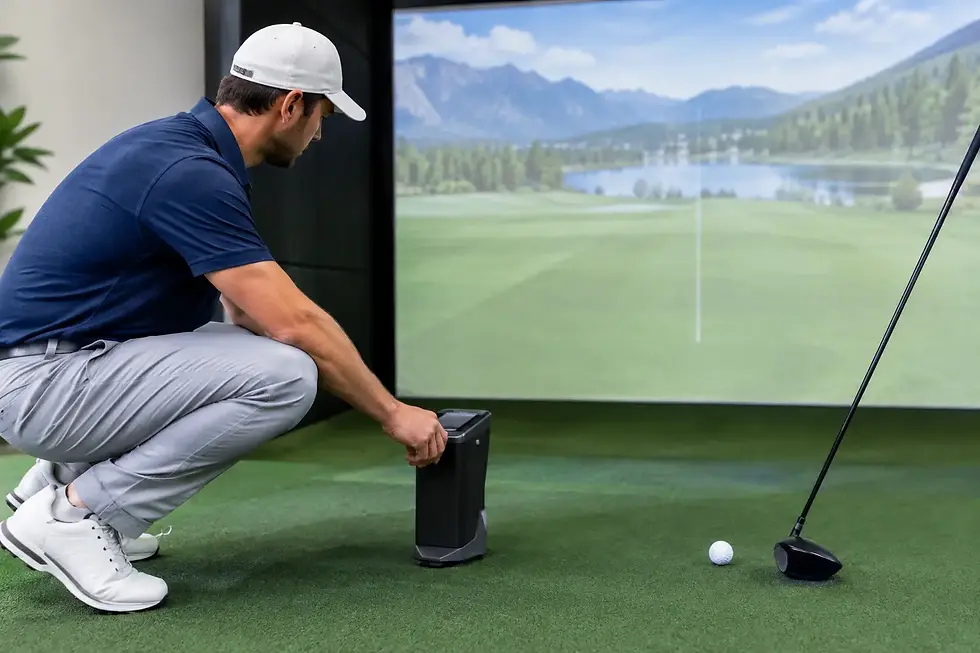
This is where camera-based and radar-based systems each have a place. Camera systems can be excellent indoors, especially when space is limited. Radar systems can be ideal when there is enough room to capture full ball flight and club movement. Neither approach is automatically better in every setting. The best fit depends on your space, the amount of traffic you expect, and whether your priority is instruction, entertainment, or a blend of both.
Club and ball data that users can understand
More data is not always better in a commercial environment. What matters is whether the data is reliable and easy to use. If your target customer is a serious golfer, details like spin, launch, carry distance, angle of attack, and club path can be a major selling point. If your target customer is a casual group booking a bay for fun, the interface should present enough information to feel engaging without slowing down play.
A good commercial system makes advanced data available without forcing every user into a technical experience.
Software that keeps people playing
Hardware gets attention, but software often shapes the entire customer experience. The best commercial simulator features include software that is stable, intuitive, and appealing to different types of users.
For entertainment-focused businesses, strong course libraries and game modes matter because they increase repeat visits. Customers want recognizable courses, smooth gameplay, and options that work for groups, leagues, and events. For golf facilities, coaching tools, practice modes, and performance tracking may matter more.
The trade-off is that some software platforms excel at realism and data analysis, while others are better for social play and accessibility. If your business model depends on reservations, party bookings, or food-and-beverage traffic, ease of play can be more valuable than ultra-deep analytics. If your revenue comes from lessons, memberships, or player development, instruction-focused software may carry more weight.
Durability is one of the best commercial simulator features
Commercial simulators take more abuse than most buyers expect. That includes direct ball strikes, club mishits, constant foot traffic, spilled drinks, rushed sessions, and long daily operating hours. Durability is not the glamorous part of the sale, but it is one of the most important.
Impact screens, enclosures, turf systems, hitting mats, projectors, computers, and mounts all need to be selected with commercial use in mind. A premium launch monitor paired with low-grade accessories usually leads to a weak overall installation. The system is only as dependable as its most vulnerable component.
High-traffic facilities should pay especially close attention to hitting surface quality. Players notice it immediately. A mat that feels harsh or unrealistic does more than reduce enjoyment. Over time, it can also create comfort issues for frequent users and instructors.
Commercial-grade build quality saves money later
Cutting upfront cost on enclosure materials, projector protection, or flooring may look attractive on paper. In practice, it often increases maintenance and replacement costs. A commercial simulator should be built for years of steady use, not just for a clean install photo.
This is one reason custom planning matters. A system built specifically for your room dimensions, ceiling height, user flow, and expected traffic will usually perform better than a one-size-fits-all package.
Ease of use matters more than most buyers think
If staff need ten minutes to explain how to start a round, switch players, or recover from a frozen screen, the customer experience suffers. In a busy venue, ease of use directly affects revenue.
The best commercial setups reduce friction. Users should be able to step in, understand the interface, and start playing without confusion. Staff should be able to manage sessions quickly, and troubleshooting should be straightforward when something does go wrong.
This matters even more for unattended or lightly staffed facilities. A 24/7 simulator business needs dependable startup behavior, simple user workflows, and hardware that does not require constant intervention. In that model, small tech issues can quickly turn into lost bookings and support calls.
Visual quality and room design are part of the product
A commercial simulator is not just a launch monitor and a screen. It is an environment. Visual presentation shapes whether customers see the experience as premium, average, or forgettable.
Bright projection, correct aspect ratio, strong image clarity, and thoughtful room lighting all contribute to perceived quality. So do finishes around the bay, sound control, and the general layout of the hitting area. In a bar or hospitality setting, aesthetics can influence bookings almost as much as the simulator brand itself.
That does not mean every venue needs the most expensive display setup available. It means the visual system should be matched to the room and the business goal. A teaching bay has different priorities than a social entertainment venue. A golf course practice center may want a cleaner, more performance-driven design, while a restaurant may prioritize atmosphere and durability.
Integration and support make commercial ownership easier
One of the most overlooked parts of the buying process is what happens after installation. Commercial buyers should think beyond equipment specs and ask how the system will be supported over time.
The best commercial simulator features include compatibility between hardware and software, smart computer configuration, clean cable management, dependable mounting, and a support plan when updates or issues come up. This is where technical expertise matters. A great launch monitor can still become a problem if the computer is underpowered, the projector is poorly placed, or the software stack is not configured correctly.
For commercial spaces, vendor relationships also matter. Access to premium equipment, direct product knowledge, and service coordination can reduce delays and help resolve issues faster. That becomes especially valuable when your simulator is part of your revenue stream.
Choosing features based on your business model
A golf bar, indoor practice center, private club, school, and 24/7 simulator facility should not buy the same system in the same way. The right feature set depends on how the space earns its keep.
If you run a hospitality venue, focus on simple operation, strong graphics, group-friendly software, and durable finishes. If you run a teaching or player development space, prioritize data quality, shot consistency, and training tools. If your model is built around unattended access, reliability and remote support become central.
That is why the smartest commercial buyers start with the use case, not the spec sheet. At Green Pro Golf Simulators, that planning-first approach helps clients avoid expensive mismatches and build systems that fit the room, the audience, and the business goal.
The right simulator should do more than impress during a demo. It should make your space more valuable every day, whether that means better instruction, stronger customer retention, more bookings, or a better overall experience the moment someone steps into the bay.


Comments